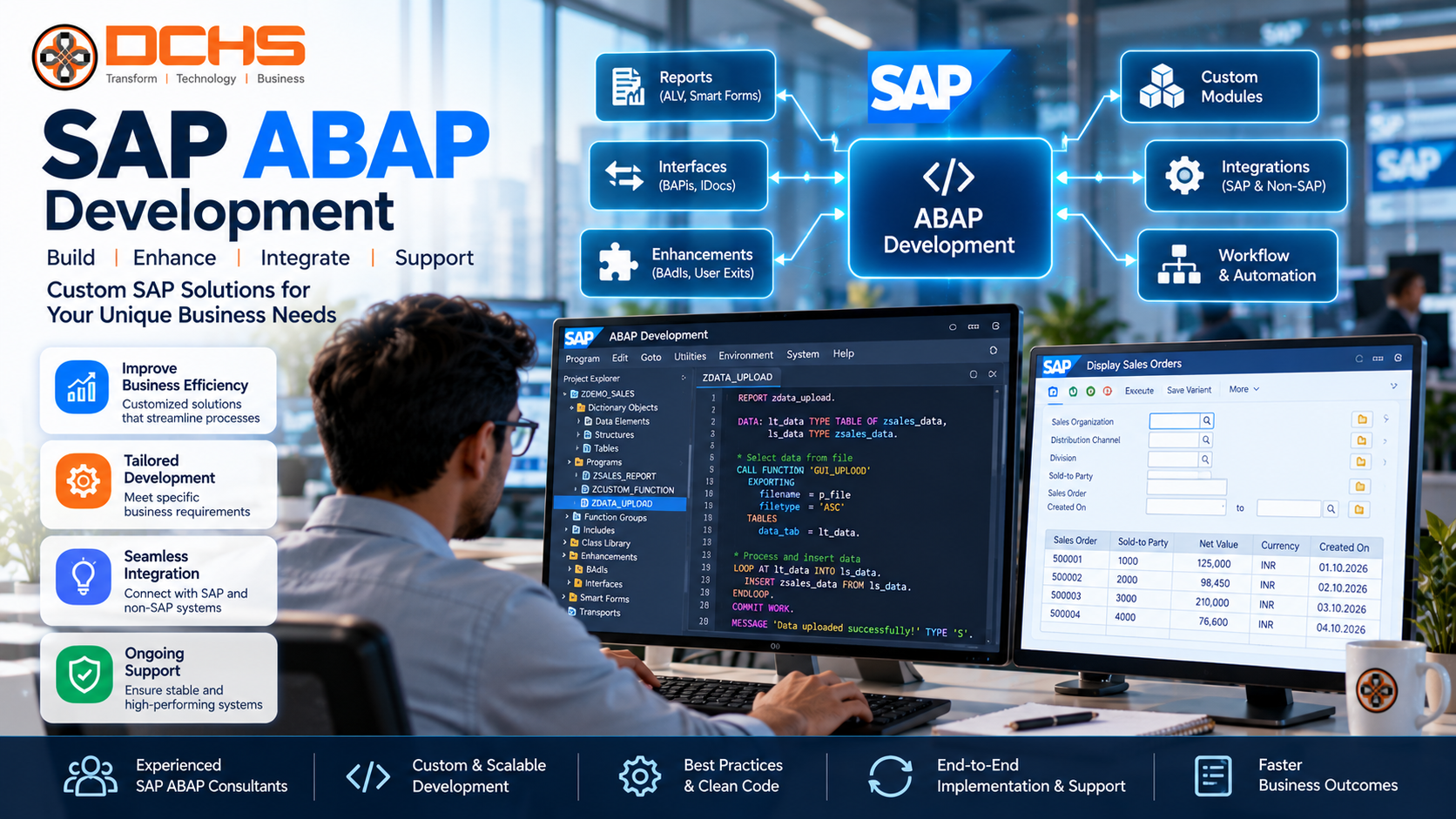
SAP ABAP Development: Complete Guide to Services, Benefits and Best Practices
Businesses depend on SAP software to manage essential operations such as finance, procurement, sales, manufacturing, inventory, human resources and supply chain management. Although standard SAP applications support many common business processes, organizations sometimes need additional functionality to meet their specific operational requirements. This is where SAP ABAP development becomes important.
SAP ABAP development enables organizations to create custom business logic, reports, interfaces, enhancements and applications within supported SAP environments. It can help companies adapt SAP systems to their workflows, automate repetitive tasks, connect applications and improve the way employees access business information.
ABAP stands for Advanced Business Application Programming. It is SAP’s programming language for developing business applications and extending SAP functionality. Over time, the ABAP ecosystem has evolved to support object-oriented development, SAP HANA-based applications, SAP S/4HANA extensions, web services and modern cloud development approaches.
Today, organizations need to consider both established ABAP techniques and newer development models such as ABAP Cloud and the ABAP RESTful Application Programming Model, commonly known as RAP. The right approach depends on the SAP product, deployment model, business requirements and long-term maintenance strategy.
In this guide, we explain what SAP ABAP development is, how it works, its main services, business benefits, development tools, SAP S/4HANA use cases, implementation process and best practices. We also explain how businesses can plan ABAP projects that support operational efficiency while keeping their SAP environments maintainable and upgrade-ready.
What Is SAP ABAP Development?
SAP ABAP development is the process of using the ABAP programming language and related SAP development technologies to build, extend, integrate and maintain business functionality in supported SAP systems.
ABAP developers work with business data, application logic, database operations, interfaces, reports and enhancements. Their work helps organizations address requirements that cannot be met completely by standard SAP configuration or existing applications.
For example, a manufacturing company may need a custom production report that combines information from several business objects. A finance department may require an automated validation process before accounting documents are posted. A distribution business may need an interface between SAP and an external warehouse management platform.
ABAP development can support these requirements through appropriate programs, classes, enhancements, services and integrations.
The exact development options available depend on the SAP environment. Traditional SAP systems may support a broader range of classic ABAP techniques, while cloud development environments apply specific language restrictions and extension rules.
SAP’s official documentation explains the modern approach through ABAP Cloud, released APIs and development frameworks such as RAP. See the SAP ABAP Development documentation.
Why Is SAP ABAP Development Important?
Standard SAP functionality provides a strong foundation for enterprise operations. However, organizations differ in their reporting needs, approval policies, data exchange requirements and operational workflows.
SAP ABAP development helps bridge the gap between standard functionality and additional business requirements.
1. Custom business functionality
Companies may require specialized calculations, validation rules, workflows or data processing logic. ABAP can be used to implement these requirements when standard configuration and supported extensions are insufficient.
2. Process automation
Developers can automate eligible repetitive activities, such as scheduled data processing, validations, report generation and selected business operations. Automation must preserve appropriate controls, error handling and approval requirements.
3. Integration with other systems
SAP landscapes often exchange information with CRM platforms, e-commerce systems, banks, logistics providers and third-party applications. ABAP development can support integration through suitable APIs, services, events and other approved communication mechanisms.
4. Improved reporting
Organizations may need reports that combine business information from multiple sources or present data in a format suited to operational decisions. ABAP reporting can address requirements that are not adequately covered by existing reports or analytical tools.
5. Business-specific enhancements
Businesses may need to extend standard transactions or applications without unnecessarily changing the underlying standard functionality. Depending on the system and development model, suitable enhancement points, business add-ins and extension mechanisms may be available.
6. SAP modernization
During an SAP S/4HANA migration or modernization initiative, organizations need to review their existing custom code. ABAP development expertise helps teams assess, adapt, replace or redesign custom functionality for the target environment.
Key SAP ABAP Development Services
SAP ABAP development includes several service areas. The correct mix depends on the organization’s system landscape and project goals.
1. Custom ABAP development
Custom development addresses requirements that standard SAP functionality does not fully support.
Examples include specialized business logic, custom transaction processing, data validation, reusable utility classes and applications for specific operational workflows.
A sound custom development process begins with business analysis. Developers should understand the problem, assess standard functionality and select an appropriate design before writing code.
Custom objects should follow consistent naming, documentation, testing and transport practices so they can be maintained over time.
2. ABAP reports and analytics
Organizations use reports to monitor operations, investigate exceptions and support management decisions.
ABAP reporting may involve structured lists, operational reports, data extraction and other reporting programs. For newer application scenarios, developers may use ABAP Core Data Services (CDS), analytical queries and supported reporting frameworks.
Report design should consider data volume, execution time, user permissions and the purpose of the information. A report that works with a small test dataset may perform poorly when processing years of production data.
3. SAP enhancements and extensions
Enhancements allow organizations to add business-specific behavior to supported SAP processes.
Depending on the environment, this may include business add-ins (BAdIs), enhancement spots, released extension points or other supported mechanisms.
The appropriate method depends on the SAP release and development model. In modern SAP S/4HANA and cloud scenarios, teams should prioritize supported extension mechanisms and avoid unnecessary modifications to standard SAP objects.
This helps reduce conflicts during upgrades and makes custom behavior easier to review and maintain.
4. SAP integration and interface development
Integration is essential when SAP must exchange information with other enterprise systems.
ABAP developers may implement or consume services, process inbound and outbound data, handle errors and support integration with other SAP or third-party platforms.
Common integration scenarios include exchanging order information, transferring financial data, sharing customer records and connecting logistics systems.
Projects should define the source of truth for each data object, security requirements, retry behavior, logging and reconciliation procedures. Using an appropriate released API is generally preferable to relying on undocumented or unsupported internal interfaces.
5. SAP forms and document outputs
Businesses often need structured documents such as invoices, purchase orders, delivery notes and operational forms.
Depending on the SAP environment, developers may work with supported output technologies and form solutions to format documents, retrieve the required information and deliver outputs through appropriate channels.
Form development should account for language requirements, legal fields, document versions, print layouts and business approval processes.
6. Performance optimization
Slow programs and inefficient database operations can affect users and business processes.
ABAP performance optimization may involve examining execution plans, SQL statements, internal table operations, repeated database access and data processing patterns.
Developers can use appropriate tools, including SQL monitoring and ABAP profiling capabilities, to identify bottlenecks. Optimization should be based on evidence rather than assumptions.
7. Legacy code maintenance
Organizations may depend on custom ABAP programs developed over many years. These programs can contain undocumented logic, outdated techniques or dependencies that complicate maintenance.
Maintenance activities may include defect correction, code cleanup, documentation, automated testing and redesign of selected components.
Before changing legacy functionality, teams should understand its business purpose and identify downstream dependencies. Removing a program simply because it appears old can disrupt important operational processes.
Understanding ABAP Cloud and Modern ABAP Development
ABAP development has evolved beyond traditional on-premises programming. SAP provides ABAP Cloud as a modern development model for building applications, services and extensions in supported SAP environments.
ABAP Cloud emphasizes the use of released APIs, supported extension points, lifecycle stability and a cloud-optimized language model.
This approach is important for organizations seeking to minimize dependencies on SAP internal implementation details and reduce the risk of custom code breaking during upgrades.
What is the difference between classic ABAP and ABAP Cloud?
Classic ABAP development is associated with established SAP environments and may provide access to a wider set of traditional language features and repository objects, depending on the system.
ABAP Cloud uses a restricted, cloud-optimized language version and requires supported development objects and APIs. It is designed to support upgrade-stable development and clean-core principles.
The available options depend on the product and deployment model. Organizations should not assume that every classic ABAP technique is permitted in every cloud environment.
What is clean core?
Clean core is an approach to keeping the SAP application core as close to the standard product as practical while using supported mechanisms for business-specific extensions.
A clean-core strategy can help reduce technical debt, simplify upgrades and improve long-term maintainability. It does not mean that all customization must be eliminated. Instead, teams should choose appropriate extension options and avoid unnecessary changes to standard SAP objects.
For official guidance, consult the SAP ABAP Cloud Development Model.
What Is the ABAP RESTful Application Programming Model (RAP)?
The ABAP RESTful Application Programming Model, or RAP, is a framework for developing transactional applications and services in supported ABAP environments.
RAP provides a structured approach to modeling business data, defining business behavior and exposing services that can be consumed by SAP Fiori applications or other authorized clients.
It brings together several important technologies.
ABAP Core Data Services
ABAP CDS supports the definition of semantically rich data models and views. These models can represent business entities and provide structured access to information.
Behavior definitions and implementations
RAP allows developers to define the operations supported by a business object, such as creating, reading, updating or deleting data, subject to the application’s design and authorization rules.
Service definitions and bindings
Services expose application data and behavior through supported protocols. Depending on the scenario, RAP can support OData-based services and related application requirements.
Business logic
ABAP implementations handle validations, calculations, actions and other application-specific behavior.
SAP Fiori applications
RAP services can support transactional SAP Fiori applications, including applications developed using SAP Fiori elements.
RAP is particularly relevant when building new applications and services with modern ABAP development practices. It should be evaluated against the target system’s release, available features and business requirements.
See SAP’s official RAP documentation.
SAP ABAP Development for SAP S/4HANA
SAP S/4HANA introduces a modern ERP platform with changes to data structures, business processes, application architecture and development practices.
Organizations migrating from older SAP ERP environments need to evaluate their custom ABAP code carefully. Some programs may continue to work with little change, while others may depend on tables, structures, transactions or techniques that have changed or are no longer appropriate.
A structured custom-code assessment should examine:
- Existing custom reports and programs.
- Enhancements and modifications.
- Interfaces and external dependencies.
- Database access and performance.
- Compatibility with the target release.
- Availability of standard functionality that can replace custom code.
- Supported extension points and released APIs.
- Testing and remediation requirements.
Where suitable, teams should consider replacing unnecessary custom functionality with standard SAP capabilities. For requirements that remain unique to the business, they should select an appropriate extension approach.
The goal is not simply to make old code run in the new environment. It is to retain necessary business value while reducing avoidable complexity.
SAP ABAP Development Tools
Developers use different tools depending on the SAP environment and development task.
ABAP Development Tools for Eclipse
ABAP Development Tools (ADT) provides an Eclipse-based environment for developing and maintaining ABAP repository objects. It is particularly relevant to modern ABAP development, CDS modeling and RAP-based projects.
ABAP Workbench and classic development tools
Traditional SAP systems may support established development transactions and tools for maintaining programs, data dictionary objects, function modules and other repository components.
Availability and suitability depend on the system and development model.
ABAP Test Cockpit
ABAP Test Cockpit (ATC) supports static checks and code quality analysis. It can help teams identify potential errors, problematic coding patterns and certain compatibility issues.
Debugging and performance analysis
Debugging tools help developers investigate program behavior and locate defects. Performance tools can help identify expensive database operations, inefficient processing and other bottlenecks.
Version control and transport management
Source control, transport management and release procedures help teams track changes and promote development through appropriate system landscapes.
The toolset should be selected according to project requirements, team standards and the supported SAP environment.
Common SAP ABAP Development Use Cases
Finance and accounting
Finance teams may require additional validations, specialized reports, document processing or integration with external financial platforms.
ABAP development can support these requirements when suitable standard functionality is not sufficient. Financial changes must preserve auditability, authorization controls and accounting integrity.
Manufacturing and production
Manufacturers may need production reports, quality-related validations, integration with shop-floor systems or additional processing logic.
The solution should account for transaction volumes, operational timing, exception handling and the consequences of incorrect production data.
Procurement and supply chain
Procurement processes may benefit from custom validations, supplier-related integrations, purchasing reports and workflow support.
Developers should ensure that custom functionality respects purchasing policies, approval limits and supplier data governance.
Warehouse and inventory management
Warehouse operations may involve inventory reconciliation, material movements, scanning workflows and connections to external warehouse management systems.
Development choices should reflect the organization’s SAP warehouse solution, device requirements and transaction processing needs.
Sales and customer operations
Businesses may require specialized order validations, pricing-related extensions, customer-data integrations or sales reporting.
The design should preserve consistency between SAP and connected systems, particularly where customer orders or financial transactions are involved.
Human resources
Depending on the SAP HR solution, ABAP development may support custom reports, approved integrations, data processing and business-specific validation.
Personal and employment data require careful access controls, privacy safeguards and appropriate retention practices.
SAP ABAP Development Best Practices
High-quality ABAP development requires more than correct syntax. It should produce code that is reliable, understandable, secure and maintainable.
1. Understand the business requirement
Clarify the business problem, expected outcome, users and exception scenarios before designing the solution. Confirm whether standard SAP functionality already addresses the need.
2. Choose the appropriate development model
Select classic ABAP, ABAP Cloud, RAP or another supported approach based on the target environment and requirements. Do not assume that the same implementation method is suitable for every SAP product.
3. Prefer supported APIs and extension points
Use released interfaces and approved extension mechanisms where available. Avoid unnecessary dependencies on internal SAP implementation details, particularly when upgrade stability is important.
4. Write readable and maintainable code
Use meaningful names, appropriate modularization, consistent formatting and clear separation of responsibilities. Follow established team standards and suitable ABAP coding guidelines.
5. Optimize database operations
Avoid unnecessary database calls and excessive data retrieval. Select only required fields, apply appropriate filtering and measure performance using realistic datasets.
6. Implement appropriate security controls
Apply authorization checks, protect sensitive data and validate input. Avoid exposing business information through custom reports or services without proper access controls.
7. Test thoroughly
Use unit tests where appropriate and include integration, regression and user acceptance testing. Validate normal scenarios, boundary conditions, errors and authorization behavior.
8. Document important decisions
Document business rules, dependencies, configuration requirements and non-obvious technical decisions. Good documentation helps future developers understand why the solution exists and how to maintain it.
9. Manage changes systematically
Use appropriate development, quality assurance and production processes. Review code, manage transports or deployments, and retain traceability for changes.
10. Plan for upgrades and ongoing support
Review custom code as the SAP environment evolves. Track dependencies, monitor application behavior and test important changes before deployment.
The SAP ABAP Development Process
A disciplined development lifecycle helps reduce project risk and improve solution quality.
Step 1: Requirement gathering
Interview business users and process owners to identify the problem, scope, expected behavior and acceptance criteria.
Step 2: Existing-system assessment
Review standard SAP capabilities, existing custom code, interfaces, data structures and relevant technical constraints.
Step 3: Solution design
Define the architecture, data model, processing logic, interfaces, security requirements and error-handling approach.
Step 4: Development planning
Select the development model, assign responsibilities and establish code quality, testing and change management standards.
Step 5: Coding and configuration
Implement the required programs, services, enhancements or applications using suitable development tools and approved practices.
Step 6: Technical testing
Perform code checks, unit testing, debugging and relevant performance and security assessments.
Step 7: Integration and user testing
Verify end-to-end business scenarios and confirm that the solution works correctly with connected applications and existing processes.
Step 8: Deployment
Promote approved changes through the appropriate landscape using the organization’s transport or deployment procedures.
Step 9: Monitoring and maintenance
Review errors, user feedback and performance after release. Address defects and plan future improvements according to business priorities.
Common SAP ABAP Development Challenges
Complex legacy code
Older programs may contain undocumented business rules and dependencies. Teams should analyze these dependencies before changing the code.
Performance bottlenecks
Poor database access patterns and inefficient processing can affect large datasets. Use profiling and monitoring to identify the actual cause.
Compatibility issues
A technique available in one SAP environment may be restricted or unsupported in another. Confirm release compatibility and language-version requirements before implementation.
Integration failures
Data format mismatches, connectivity issues and inconsistent error handling can disrupt interfaces. Define monitoring, retries, reconciliation and ownership responsibilities.
Excessive customization
Custom code can increase maintenance and upgrade effort. Prefer standard functionality where it satisfies the business need and document the reason for necessary extensions.
Insufficient testing
A program that works in a development environment may fail under production volumes or with unusual business data. Test realistic scenarios and include regression coverage.
How to Choose an SAP ABAP Development Partner
Selecting an SAP ABAP development partner requires assessing technical capabilities as well as business understanding.
Consider the following factors:
SAP environment experience: The partner should understand the SAP products, releases and deployment models involved in your project.
Technical expertise: Evaluate experience with ABAP programming, integrations, debugging, performance analysis and the relevant development frameworks.
Modern development knowledge: For applicable projects, ask about ABAP Cloud, RAP, released APIs, clean-core practices and SAP S/4HANA custom-code assessment.
Quality and testing practices: Review how requirements, code reviews, automated checks, security testing and regression testing are handled.
Communication and documentation: The partner should provide clear technical documentation, explain trade-offs and communicate project risks.
Support and maintenance: Understand how defects, production incidents, upgrades and future enhancements will be managed.
A useful engagement begins with a defined scope, an assessment of the current SAP environment and a clear agreement on deliverables and acceptance criteria.
SAP ABAP Development Services from DCHS Technologies
DCHS Technologies focuses on SAP-related consulting and technology services, including SAP S/4HANA, SAP BTP, SAP mobility and SAP technical services.
Businesses considering an ABAP development initiative should first identify the requirement: a custom report, an enhancement, an integration, a performance issue, a migration-related code assessment or a new application.
Depending on the agreed scope and available project capabilities, SAP development support can help organizations evaluate existing functionality, select an appropriate development approach and plan implementation and testing.
For an SAP S/4HANA program, this may include reviewing custom code and identifying opportunities to use standard functionality or supported extension points. For a new application, it may involve assessing whether RAP and ABAP Cloud are appropriate for the target environment.
DCHS Technologies can be contacted through its official website to discuss SAP-related project requirements.
Planning an SAP ABAP development project? Visit DCHS Technologies to discuss your business requirements and explore suitable next steps for your SAP environment.
Frequently Asked Questions About SAP ABAP Development
1. What is SAP ABAP development?
SAP ABAP development is the process of creating, extending, integrating and maintaining business functionality in supported SAP environments using the ABAP programming language and related technologies.
2. What does ABAP stand for?
ABAP stands for Advanced Business Application Programming. It is SAP’s programming language for enterprise application development.
3. What are the main SAP ABAP development services?
Common services include custom program development, reporting, enhancements, integration, forms, performance optimization, legacy code maintenance and development of applications or services.
4. Is ABAP used in SAP S/4HANA?
Yes. ABAP is used in SAP S/4HANA environments for supported development and extension scenarios. Available language features and development methods depend on the release and deployment model.
5. What is ABAP Cloud?
ABAP Cloud is SAP’s modern development model for creating cloud-ready applications, services and extensions using supported language features, APIs and extension points.
6. What is the difference between classic ABAP and ABAP Cloud?
Classic ABAP environments may support a broader set of traditional development techniques. ABAP Cloud uses a restricted language model and supported APIs to promote upgrade-stable development. The applicable rules depend on the SAP product and environment.
7. What is SAP RAP?
The ABAP RESTful Application Programming Model is a framework for developing business objects, transactional applications and services in supported ABAP environments. It is commonly used to build services consumed by SAP Fiori applications.
8. Can ABAP connect SAP with third-party applications?
Yes. ABAP-based solutions can support integrations using suitable services, APIs and other supported communication mechanisms. The correct design depends on the connected systems and security requirements.
9. How can ABAP development improve business efficiency?
It can automate eligible tasks, improve reporting, implement required business rules and connect systems. Actual improvements depend on the quality of the solution and the business process being addressed.
10. How long does an SAP ABAP development project take?
Timelines vary according to scope, system complexity, integrations, testing needs and deployment requirements. A small report change is different from a new application or a large custom-code remediation project.
11. What should businesses consider before starting an ABAP project?
Organizations should define the business requirement, review standard SAP functionality, assess technical compatibility, select the appropriate development model, establish security controls and plan testing and ongoing support.
Conclusion
SAP ABAP development helps organizations adapt SAP applications to business-specific requirements through custom programs, reports, enhancements, integrations and services. It can support operational automation, improve access to business information and address gaps that standard functionality does not fully cover.
Modern SAP development also requires a forward-looking approach. Organizations should understand the differences between classic ABAP and ABAP Cloud, evaluate RAP for suitable application scenarios, use supported APIs and extension points, and avoid unnecessary changes to standard SAP objects.
A structured development lifecycle—covering requirements, design, coding, testing, deployment and maintenance—helps businesses create reliable solutions that can evolve with their SAP environment.
For companies planning SAP S/4HANA modernization, custom application development or technical improvements, the best starting point is a clear assessment of business requirements and existing system capabilities.
Contact DCHS Technologies through its website to discuss your SAP-related requirements and plan the next steps for your SAP ABAP development initiative.