
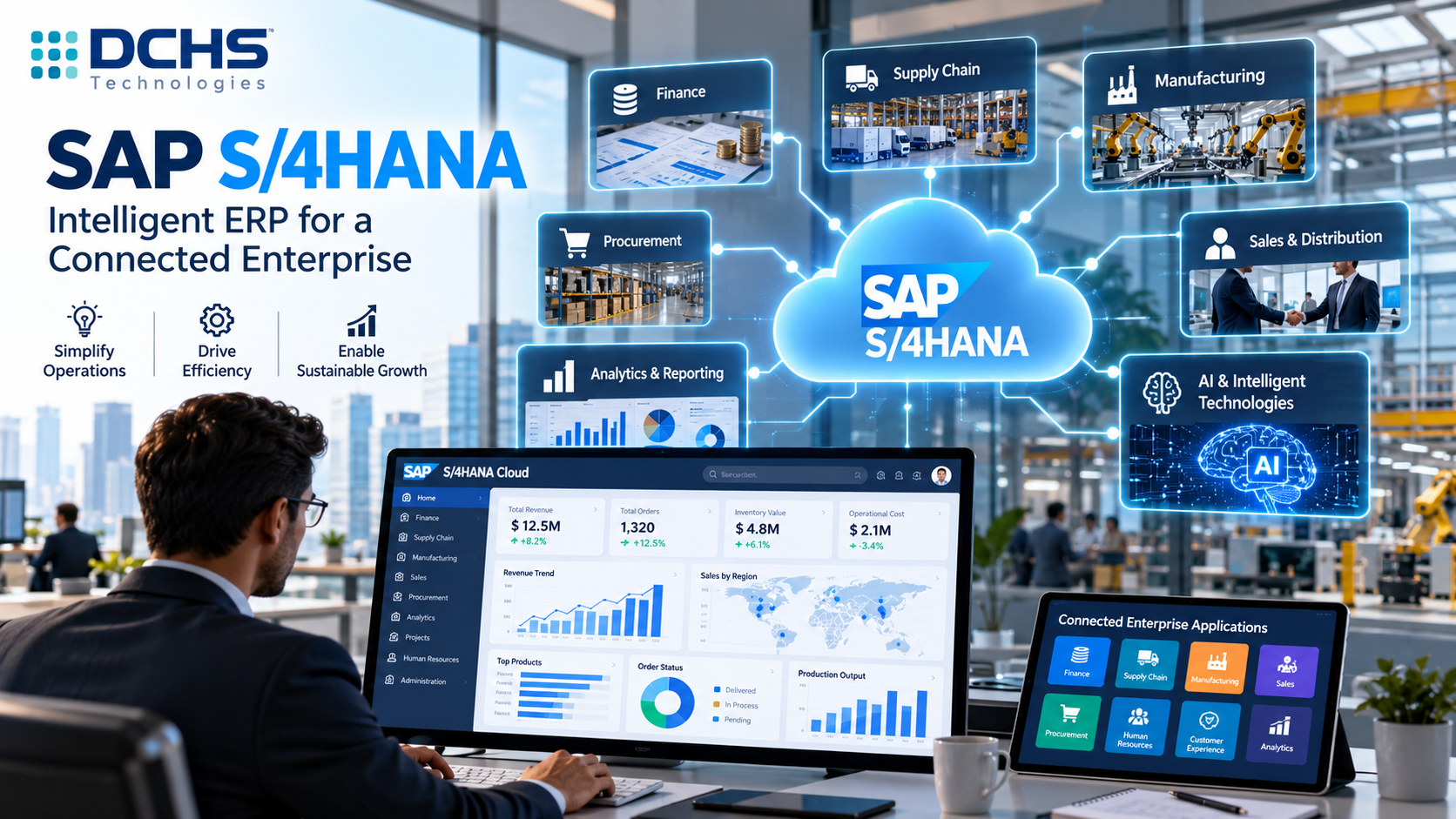
SAP Cloud ERP Solutions: Complete Guide for Businesses
Businesses are increasingly moving their enterprise applications toward cloud-based technologies to improve scalability, connectivity, operational efficiency and access to modern capabilities.
Enterprise resource planning is an important part of this transformation. ERP systems manage critical business processes such as finance, procurement, sales, supply chain, manufacturing, asset management and other enterprise operations.
SAP Cloud ERP solutions provide organizations with a modern approach to running these core business processes through cloud-based ERP technologies.
SAP’s current cloud ERP portfolio includes solutions such as SAP S/4HANA Cloud Public Edition and SAP Cloud ERP Private, with different approaches for organizations that require standardized cloud processes or a more tailored enterprise environment. SAP describes S/4HANA Cloud Public Edition as a foundational application of SAP Cloud ERP, while SAP Cloud ERP Private is designed for organizations that need greater flexibility and support for existing SAP investments.
However, moving ERP to the cloud is not simply a technology migration.
A successful cloud ERP transformation involves business processes, data, integration, security, users, applications, governance and long-term business strategy.
This guide explains what SAP Cloud ERP solutions are, how they work, their benefits, deployment options, implementation process, challenges, integration capabilities and how businesses can prepare for cloud ERP transformation.
What Are SAP Cloud ERP Solutions?
SAP Cloud ERP solutions are cloud-based enterprise resource planning technologies from SAP that help businesses manage core operations through modern, connected ERP environments.
Instead of relying entirely on traditional on-premise infrastructure, organizations can use cloud ERP to access enterprise applications through a managed cloud environment.
SAP Cloud ERP can support business processes across areas such as:
- Finance
- Procurement
- Sales
- Supply chain
- Manufacturing
- Asset management
- Project management
- Service operations
- Analytics
- Enterprise reporting
The exact capabilities available depend on the SAP solution, deployment model, industry and licensing arrangement.
Quick Answer: What is SAP Cloud ERP?
SAP Cloud ERP is a cloud-based enterprise resource planning approach that helps organizations manage core business processes while supporting modern capabilities such as integrated data, cloud operations, automation, analytics and AI.
SAP S/4HANA Cloud Public Edition is one of the foundational applications within SAP Cloud ERP and provides preconfigured business processes across areas such as finance, manufacturing, sales, sourcing, procurement and supply chain.
Why Are Businesses Moving to Cloud ERP?
Traditional ERP environments can require significant infrastructure, maintenance and technical resources.
Organizations may need to manage:
- Servers
- Databases
- Infrastructure
- System upgrades
- Security controls
- Backup processes
- Disaster recovery
- Application maintenance
Cloud ERP changes how these responsibilities are managed.
A cloud-based ERP environment can allow organizations to use enterprise software through a cloud operating model while reducing some of the infrastructure responsibilities associated with traditional deployments.
Businesses are also looking for faster access to:
- Analytics
- Automation
- AI
- Digital workflows
- Integration
- Mobile applications
- Cloud services
As a result, cloud ERP has become part of broader enterprise digital transformation strategies.
Key Features of SAP Cloud ERP Solutions
SAP Cloud ERP solutions can provide capabilities designed to support modern enterprise operations.
1. Integrated Business Processes
ERP provides value by connecting business functions.
For example, a sales transaction can have downstream implications for:
- Inventory
- Procurement
- Production
- Shipping
- Accounts receivable
- Financial reporting
An integrated ERP system helps businesses manage these relationships within connected processes.
SAP S/4HANA Cloud Public Edition includes capabilities spanning finance, manufacturing, sales, sourcing and procurement, supply chain and other business functions.
2. Cloud-Based ERP Operations
Cloud ERP allows organizations to operate enterprise applications within a cloud environment.
The operating model can provide greater flexibility around infrastructure and system access.
The exact responsibilities for application management, infrastructure and upgrades depend on the selected SAP cloud offering.
Businesses should therefore evaluate the service model carefully before selecting a solution.
3. Real-Time Business Information
Modern ERP environments are designed to provide organizations with timely access to business information.
Finance teams may need current financial information.
Supply chain teams may need inventory visibility.
Sales teams may need information about customer orders.
Management may need dashboards showing operational performance.
A connected ERP environment can help reduce the dependency on manually consolidated information.
SAP’s S/4HANA family is built on SAP HANA and is designed around real-time processing and analytics capabilities.
4. Standardized Business Processes
Cloud ERP can encourage organizations to review and standardize business processes.
SAP S/4HANA Cloud Public Edition uses preconfigured processes and industry best practices as part of its cloud ERP approach.
This can be useful for organizations that want to reduce unnecessary customization and adopt more standardized operating models.
5. Analytics and Reporting
ERP systems generate large amounts of business information.
Organizations need to convert that information into useful insights.
Cloud ERP can support reporting and analytics across areas such as:
- Revenue
- Expenses
- Inventory
- Procurement
- Production
- Sales
- Supply chain
- Financial performance
The objective should be to give decision-makers relevant information rather than simply creating more reports.
6. AI-Enabled Business Processes
AI is becoming an increasingly important part of enterprise applications.
SAP currently positions cloud ERP alongside embedded AI and its broader Business AI strategy.
Potential enterprise AI use cases can include:
- Intelligent document processing
- Business assistants
- Forecasting
- Data analysis
- Process recommendations
- Automation
- Anomaly detection
- Employee productivity
SAP’s current cloud ERP messaging emphasizes embedded AI across core business processes.
AI capabilities vary by SAP solution, release, service and applicable licensing, so organizations should evaluate specific use cases rather than assume every AI capability is automatically available.
SAP Cloud ERP Deployment Options
One of the most important decisions in an SAP cloud transformation is choosing the appropriate deployment model.
Two major SAP cloud ERP approaches are particularly relevant.
SAP S/4HANA Cloud Public Edition
SAP S/4HANA Cloud Public Edition is designed as a ready-to-run cloud ERP environment.
SAP describes it as a modular ERP solution using preconfigured business processes and industry best practices.
It can be suitable for organizations that want:
- Standardized processes
- Cloud-first ERP
- Faster adoption of established processes
- Managed cloud operations
- Regular innovation
- Reduced infrastructure responsibilities
The public cloud approach generally places greater emphasis on standardization.
SAP Cloud ERP Private
SAP Cloud ERP Private is designed for organizations that require a more tailored cloud ERP environment.
SAP describes it as a tailored-to-fit cloud ERP capable of supporting the migration of existing SAP investments, including SAP ERP and SAP S/4HANA environments.
It can be relevant for organizations with:
- Complex business processes
- Existing SAP investments
- Significant customization
- Specific integration requirements
- Complex enterprise landscapes
- Requirements for greater flexibility
SAP also describes private cloud capabilities around extensibility, clean-core approaches, managed operations and enterprise-scale AI.
SAP Cloud ERP Public vs Private
Businesses should not select public or private cloud ERP simply because one model is newer or more popular.
The decision should be based on business requirements.
| Factor | Public Cloud | Private Cloud |
|---|---|---|
| Process model | More standardized | More tailored |
| Customization | More limited | Greater flexibility |
| Existing SAP investment | May require transformation | Strong fit for complex existing environments |
| Business complexity | Suitable for standardized processes | Suitable for complex requirements |
| Innovation | Cloud-managed innovation | Managed innovation with greater flexibility |
| Transformation approach | Adopt standard processes | Transform while preserving appropriate enterprise requirements |
| Typical consideration | Standardization | Flexibility |
The correct choice depends on the organization’s business processes, existing SAP environment, transformation strategy and technical requirements.
Benefits of SAP Cloud ERP Solutions
1. Reduced Infrastructure Management
Cloud ERP can reduce the amount of infrastructure that an organization needs to manage directly.
This can allow internal IT teams to focus more on business applications, transformation and innovation.
2. Scalability
Businesses can change rapidly.
They may:
- Enter new markets
- Add business units
- Increase transaction volumes
- Launch new products
- Expand operations
Cloud ERP provides an environment designed to support evolving business requirements.
3. Access to Innovation
Cloud ERP can provide organizations with access to new capabilities as SAP continues to develop its cloud portfolio.
This can include:
- AI
- Automation
- Analytics
- New business functionality
- Integration capabilities
4. Business Process Standardization
Cloud ERP transformation provides an opportunity to evaluate existing processes.
Organizations can identify processes that can be standardized instead of automatically reproducing every legacy customization.
5. Better Integration
Modern enterprises operate many applications.
Cloud ERP can become a central part of an integrated technology landscape.
It may connect with:
- CRM
- E-commerce
- HR systems
- Banking platforms
- Manufacturing systems
- Warehouse applications
- Supplier systems
- Customer applications
6. Improved Business Visibility
Connected data and business processes can improve visibility across an organization.
Executives can gain greater insight into financial and operational performance.
7. Support for Digital Transformation
Cloud ERP can become the foundation for broader transformation initiatives involving:
- AI
- Analytics
- Automation
- Mobile applications
- Integration
- Digital workflows
SAP Cloud ERP and SAP BTP
SAP Business Technology Platform plays an important role in the broader SAP cloud ecosystem.
Organizations may use SAP BTP to:
- Integrate applications
- Develop extensions
- Automate workflows
- Connect data
- Build applications
- Support AI scenarios
This is particularly important because organizations often need functionality that is not part of the ERP core.
Rather than heavily modifying the ERP system, businesses can use appropriate extension technologies.
SAP describes its platform for cloud ERP as supporting integration, development, automation and migration across SAP and non-SAP systems.
SAP Cloud ERP and Integration
Integration is one of the most important considerations in cloud ERP implementation.
A business may have dozens or hundreds of applications.
For example:
                    SAP Cloud ERP
                         |
       +-----------------+-----------------+
       |                 |                 |
      CRM            E-Commerce          HR
       |                 |                 |
       +-----------------+-----------------+
                         |
                  SAP Integration
                       Layer
                         |
       +-----------------+-----------------+
       |                 |                 |
   Warehouse         Banking          Manufacturing
A structured integration architecture can help organizations exchange information across these systems.
SAP Integration Suite is designed to connect applications, data and processes across enterprise environments, including SAP and third-party landscapes. SAP currently highlights prebuilt integrations and capabilities such as API management and event-driven integration.
SAP Cloud ERP Implementation Process
Implementing cloud ERP requires more than activating a software subscription.
A structured implementation approach is important.
Phase 1: Business Assessment
Start by understanding the business.
Identify:
- Business objectives
- Current ERP environment
- Process problems
- Business priorities
- Industry requirements
- Growth plans
Phase 2: Current-State Assessment
Review the existing technology landscape.
Assess:
- ERP systems
- Customizations
- Integrations
- Data
- Reports
- Security
- Infrastructure
- User roles
This provides the foundation for the transformation plan.
Phase 3: Cloud ERP Strategy
Determine which deployment approach best fits the organization.
Questions include:
- Is a standardized process model appropriate?
- Does the business have complex custom processes?
- What existing SAP investments must be retained?
- What integrations are required?
- What data needs to be migrated?
Phase 4: Process Design
Map important business processes.
Examples include:
Procure-to-Pay
From purchasing requirements through supplier payment.
Order-to-Cash
From customer order through delivery and payment.
Record-to-Report
From financial transactions through reporting.
Plan-to-Produce
From production planning through manufacturing execution.
The objective is to design efficient future-state processes
Phase 5: Data Migration
Data migration requires careful planning.
Organizations should assess:
- Master data
- Customer data
- Vendor data
- Material data
- Financial data
- Historical transactions
Data should be cleaned and validated before migration wherever possible.
Phase 6: Integration
Identify all required system integrations.
This can include:
- SAP-to-SAP integration
- SAP-to-third-party integration
- APIs
- Cloud applications
- On-premise applications
For hybrid environments, SAP provides connectivity capabilities such as SAP Cloud Connector for secure connections between SAP BTP and on-premise systems.
Phase 7: Configuration and Extensions
Configure the cloud ERP environment according to approved requirements.
Where extensions are required, organizations should follow clean-core principles and select appropriate extension technologies.
Avoid unnecessary custom development.
Phase 8: Testing
Testing should cover:
- Functional processes
- Integrations
- Security
- Data
- Reports
- User workflows
- End-to-end business scenarios
Testing should involve actual business users wherever possible.
Phase 9: User Training
Users need to understand:
- New processes
- New interfaces
- New responsibilities
- Security requirements
- Reporting
- Exception handling
Training is an important part of adoption.
Phase 10: Go-Live
Before go-live, organizations should verify:
- Data readiness
- Integration readiness
- User readiness
- Security
- Testing completion
- Cutover plan
- Support availability
Phase 11: Continuous Improvement
Cloud ERP transformation does not end at go-live.
Organizations should continue monitoring:
- System performance
- Process efficiency
- User adoption
- Data quality
- Business KPIs
- Integration performance
Continuous improvement helps the ERP environment evolve with the business.
SAP Cloud ERP Migration
Organizations with existing SAP ERP environments may consider migration as part of their cloud transformation strategy.
SAP Cloud ERP Private is specifically positioned to support modernization of existing on-premise SAP investments, including SAP ERP and SAP S/4HANA environments.
A migration assessment should examine:
Application
- Current ERP release
- Custom code
- Extensions
- Modules
- Reports
Data
- Master data
- Transactional data
- Historical data
- Data quality
Integration
- Interfaces
- APIs
- Third-party applications
- Middleware
Business Processes
- Current workflows
- Custom processes
- Process inefficiencies
- Standardization opportunities
People
- Users
- Skills
- Training
- Change management
Migration should therefore be treated as a business transformation project rather than simply moving technical infrastructure.
SAP Cloud ERP Security
Security is a critical consideration for enterprise cloud systems.
Organizations should evaluate:
- Identity management
- User access
- Authentication
- Authorization
- Data protection
- Monitoring
- Compliance
- Audit requirements
- Integration security
Security responsibilities can differ depending on the SAP cloud service and deployment model.
Businesses should clearly understand the shared responsibilities between SAP, implementation partners and the customer.
Security should also be considered during application integration and extension development.
SAP Cloud ERP for Different Industries
Cloud ERP requirements vary across industries.
Manufacturing
Manufacturers can use cloud ERP to connect:
- Production
- Procurement
- Inventory
- Finance
- Sales
- Supply chain
- Quality
A connected ERP environment can improve visibility across manufacturing operations.
Automotive
Automotive companies often operate complex supply chains and production networks.
Cloud ERP can support integrated financial, procurement, manufacturing and supply chain processes.
Pharmaceuticals
Pharmaceutical organizations operate under strict regulatory and operational requirements.
Cloud ERP can support finance, procurement, supply chain and other enterprise processes while organizations maintain appropriate compliance controls.
Chemicals
Chemical companies can benefit from integrated procurement, production, inventory and supply chain processes.
Banking and Financial Services
Financial organizations require reliable financial management, reporting, controls and data.
Cloud ERP can support enterprise financial processes and integration.
Utilities
Utilities may operate complex asset, financial and operational environments.
Cloud ERP can help connect business processes across the enterprise.
SAP Cloud ERP and Artificial Intelligence
AI is becoming a major part of modern ERP strategy.
SAP’s current cloud ERP offerings increasingly incorporate AI capabilities into business processes.
Potential use cases include:
- Intelligent finance
- Document processing
- Procurement assistance
- Forecasting
- Business recommendations
- Conversational interfaces
- Process automation
- Data analysis
However, organizations should not begin an ERP transformation by asking:
“Where can we add AI?”
A better question is:
“Which business problems could AI help us solve?”
This approach keeps AI focused on measurable business outcomes.
Common SAP Cloud ERP Challenges
Cloud ERP can provide significant advantages, but transformation projects can also create challenges.
1. Legacy Complexity
Older ERP environments may contain years of customizations and integrations.
These need to be assessed before migration.
2. Data Quality
Poor data can create problems in the new ERP environment.
Data cleansing should therefore be part of the transformation plan.
3. Process Resistance
Employees may prefer existing processes.
Change management and communication are important.
4. Integration Complexity
Cloud ERP rarely operates alone.
Integration planning should begin early.
5. Customization
Too much customization can reduce the advantages of standard cloud ERP.
Businesses should evaluate standard functionality first.
6. Skills
Cloud ERP requires appropriate functional, technical and integration expertise.
Organizations may need internal training or support from experienced SAP consultants.
SAP Cloud ERP Best Practices
1. Start With Business Objectives
Technology should support business outcomes.
2. Adopt Standard Processes Where Appropriate
Avoid unnecessary customization.
3. Build a Strong Data Strategy
Data quality should be addressed before migration.
4. Design Integration Early
Integration is a core architectural requirement.
5. Follow Clean-Core Principles
Keep the ERP core as maintainable and upgrade-friendly as practical.
6. Prioritize User Adoption
Users need training and support.
7. Use a Phased Transformation Roadmap
Large organizations may benefit from phased implementation rather than attempting every transformation initiative simultaneously.
8. Establish Clear KPIs
Measure outcomes such as:
- Process cycle time
- Manual effort
- Data quality
- Reporting speed
- User adoption
- Integration reliability
- Operational efficiency
SAP Cloud ERP Readiness Checklist
Before starting a cloud ERP project, businesses should evaluate the following.
Business
- Define transformation objectives
- Identify business priorities
- Establish project governance
- Define KPIs
ERP
- Assess current ERP
- Identify customizations
- Review modules
- Evaluate future requirements
Data
- Assess data quality
- Identify duplicate records
- Define migration scope
- Establish data ownership
Integration
- Identify applications
- Document interfaces
- Review APIs
- Define integration architecture
People
- Identify affected users
- Assess skills
- Plan training
- Create change-management strategy
Technology
- Select deployment model
- Define target architecture
- Evaluate security
- Plan testing
How DCHS Technologies Can Help With SAP Cloud ERP Solutions
DCHS Technologies provides SAP consulting and enterprise technology services to help businesses modernize their technology environments.
Its SAP capabilities cover areas such as:
- SAP consulting
- SAP S/4HANA
- SAP implementation
- SAP technical services
- SAP integration
- SAP migration
- SAP application support
- IT transformation
For organizations considering SAP Cloud ERP, the transformation journey should begin with an understanding of the existing business and technology landscape.
DCHS Technologies can help businesses evaluate requirements, identify appropriate SAP solutions and develop an implementation approach aligned with their operational objectives.
Depending on the organization, this may involve:
- ERP assessment
- Cloud ERP strategy
- SAP S/4HANA implementation
- SAP ERP migration
- Data migration
- Integration
- Technical consulting
- Business process optimization
- Application support
The right solution depends on the organization’s size, industry, existing ERP environment, business processes, data, integration requirements and transformation goals.
Frequently Asked Questions About SAP Cloud ERP Solutions
What are SAP Cloud ERP solutions?
SAP Cloud ERP solutions are cloud-based SAP enterprise resource planning technologies that help businesses manage core processes such as finance, procurement, sales, manufacturing and supply chain.
What is SAP Cloud ERP?
SAP Cloud ERP is SAP’s cloud-based ERP portfolio designed to help organizations operate core business processes through modern cloud technologies, with options suited to different business and deployment requirements.
What is SAP S/4HANA Cloud Public Edition?
SAP S/4HANA Cloud Public Edition is a ready-to-run cloud ERP solution based on standardized processes and industry best practices. SAP describes it as a foundational application of SAP Cloud ERP.
What is SAP Cloud ERP Private?
SAP Cloud ERP Private is a tailored cloud ERP offering designed for organizations that require greater flexibility and can support modernization of existing SAP ERP investments.
What is the difference between public and private cloud ERP?
Public cloud ERP generally emphasizes standardized processes and SAP-managed innovation, while private cloud ERP provides greater flexibility for organizations with complex requirements and existing SAP investments.
Is SAP Cloud ERP suitable for manufacturing?
Yes. SAP’s cloud ERP capabilities include manufacturing, supply chain, procurement, finance and related business processes.
Can SAP Cloud ERP integrate with third-party applications?
Yes. SAP provides integration technologies designed to connect SAP and non-SAP applications, data and processes. SAP Integration Suite is a major component of this integration strategy.
Can existing SAP ERP systems migrate to the cloud?
Yes. The appropriate migration path depends on the existing SAP environment, business requirements, data, customizations, integrations and selected cloud deployment model. SAP Cloud ERP Private is specifically positioned to support modernization of existing SAP investments.
Does SAP Cloud ERP support AI?
SAP’s current cloud ERP portfolio includes embedded AI capabilities and is being developed alongside SAP’s broader Business AI strategy. Specific capabilities depend on the product, release, service and applicable licensing.
How long does SAP Cloud ERP implementation take?
There is no universal implementation timeline. Project duration depends on factors including organization size, business-process complexity, data migration, integrations, deployment model, customization and user readiness.
How can a company start an SAP Cloud ERP project?
The recommended starting point is a business and technology assessment covering the current ERP environment, processes, data, integrations, users and future business requirements.
Conclusion
SAP Cloud ERP solutions provide organizations with a modern approach to managing enterprise operations and supporting digital transformation.
Instead of treating ERP as an isolated back-office system, businesses can use cloud ERP as a connected foundation for finance, procurement, sales, manufacturing, supply chain, analytics, automation and AI-enabled processes.
SAP S/4HANA Cloud Public Edition provides a standardized cloud ERP approach built around preconfigured processes, while SAP Cloud ERP Private is designed for organizations that require a more tailored environment and want to modernize existing SAP investments.
However, selecting the right cloud ERP solution requires more than comparing software features.
Businesses need to evaluate their existing ERP landscape, business processes, data, integrations, customization, security requirements and long-term transformation goals.
A successful cloud ERP implementation should also prioritize data quality, process improvement, integration, user adoption and continuous improvement.
For organizations looking to modernize their ERP environment, SAP Cloud ERP can provide a foundation for building a more connected, scalable and intelligent enterprise.
Ready to explore SAP Cloud ERP solutions for your business? Contact DCHS Technologies to discuss your SAP consulting, cloud ERP, implementation, migration and integration requirements.


